Yes, you can run a poker HUD on a Mac. A few HUDs have real Mac versions now. The big ones that don't, like Hold'em Manager 3 and DriveHUD, need Windows running inside your Mac.
Most Mac HUDs cost money once the trial ends. Flopnado's doesn't. Its HUD is free forever, with 36 stats on every opponent, on Apple chip and Intel Macs. Here is every option side by side.
Every poker HUD for Mac, compared
"Not found" means I looked through that app's own guides and couldn't find the feature. I didn't check those two features for the Windows only apps.
| HUD | On a Mac | Price | Free to keep using | Stats by position | Reverse HUD (your stats as each player sees them) |
|---|---|---|---|---|---|
| Flopnado | Mac app, Apple chip and Intel | HUD free. €20 once for everything else | Yes, forever | Yes, one click | Yes, one click |
| PokerTracker 4 | Mac app, works on Apple chip | From $59.99 once | No, 14 day trial | Positional popups, set up yourself | Not found |
| Poker Copilot 8 | Mac app, Apple chip and Intel | $39 to $99 once | No, 14 day trial | Not found | Not found |
| Hand2Note 4 | Mac app, Apple chip and Intel | From $19.99 a month | No, free trial | Yes, set up yourself | Has opponents' stats against you, not yours |
| Hold'em Manager 3 | No, Windows only | From $60 once | No | Not checked | Not checked |
| DriveHUD 2 | No, Windows only | $59.99 the first year, then $19.99 a year | No | Not checked | Not checked |
First, check your poker site has a Mac version
A HUD reads the hand history files your poker site saves. So the site itself has to run on your Mac first. Some poker sites don't have a Mac version. Check your site works on Mac before you buy.
Flopnado's HUD works with 9 sites: PokerStars, 888poker, ACR, Winamax, KingPoker, and the iPoker sites bet365, Betsson, Paddy Power Poker and Red Star Poker. PokerStars, 888poker and ACR all have Mac apps. For the others, look on the site's download page. Because the HUD is free, you can also just try it at your own tables.
The other HUDs that run on a Mac
PokerTracker 4
PokerTracker 4 has a real Mac version. It runs on the Mac itself, and its support team says it works well on Apple chip Macs. It starts at $59.99 for small stakes Hold'em and goes to $159.99 for every stake in Hold'em and Omaha, all paid once. The trial is 14 days.
It can show positional stats in its popups, but you set those up yourself in the HUD editor. I couldn't find a built in way to see your own stats as one opponent has seen them.
Poker Copilot 8
Poker Copilot runs on the Mac itself, on both Apple chip and Intel Macs. It costs $39, $69 or $99 depending on the stakes you play, paid once, with a 14 day trial. It supports PokerStars, 888poker, Winamax, ACR and iPoker, among others. One review says its HUD doesn't work with iPoker sites on a Mac, so bet365 and Paddy Power players should test that in the trial.
Its own guide doesn't mention stats by position on the HUD, or a reverse HUD.
Hand2Note 4
Hand2Note added a Mac version in 2025, with separate downloads for Apple chip and Intel. You can show different stats on a player depending on their position. It is also the only subscription on this list, from $19.99 a month for the Learner plan up to $49 a month for Pro.
Hand2Note has stats it calls "vs Hero". Its support team describes them as an opponent's stats in hands against you. That's useful, but it tells you about them, not about how you look to them.
Hold'em Manager 3 and DriveHUD 2
Both are Windows only. Hold'em Manager's support has said it's for PC only, and DriveHUD's own help pages say the same. On a Mac, that means Parallels with a copy of Windows inside it. Boot Camp was the other option, but it only exists on older Intel Macs. On an M1 or newer, it's Parallels or nothing.
You pay for Parallels every year and for a Windows licence, on top of the HUD. Hold'em Manager 3 starts at $60 once. DriveHUD 2 is a yearly licence, $59.99 for the first year and $19.99 a year after that.
Flopnado: a free HUD that runs on your Mac
Flopnado is a poker study app for Windows and Mac. On the Mac it is a real Mac app, with one download for Apple chip Macs and one for Intel Macs. There's no Parallels and no Windows.
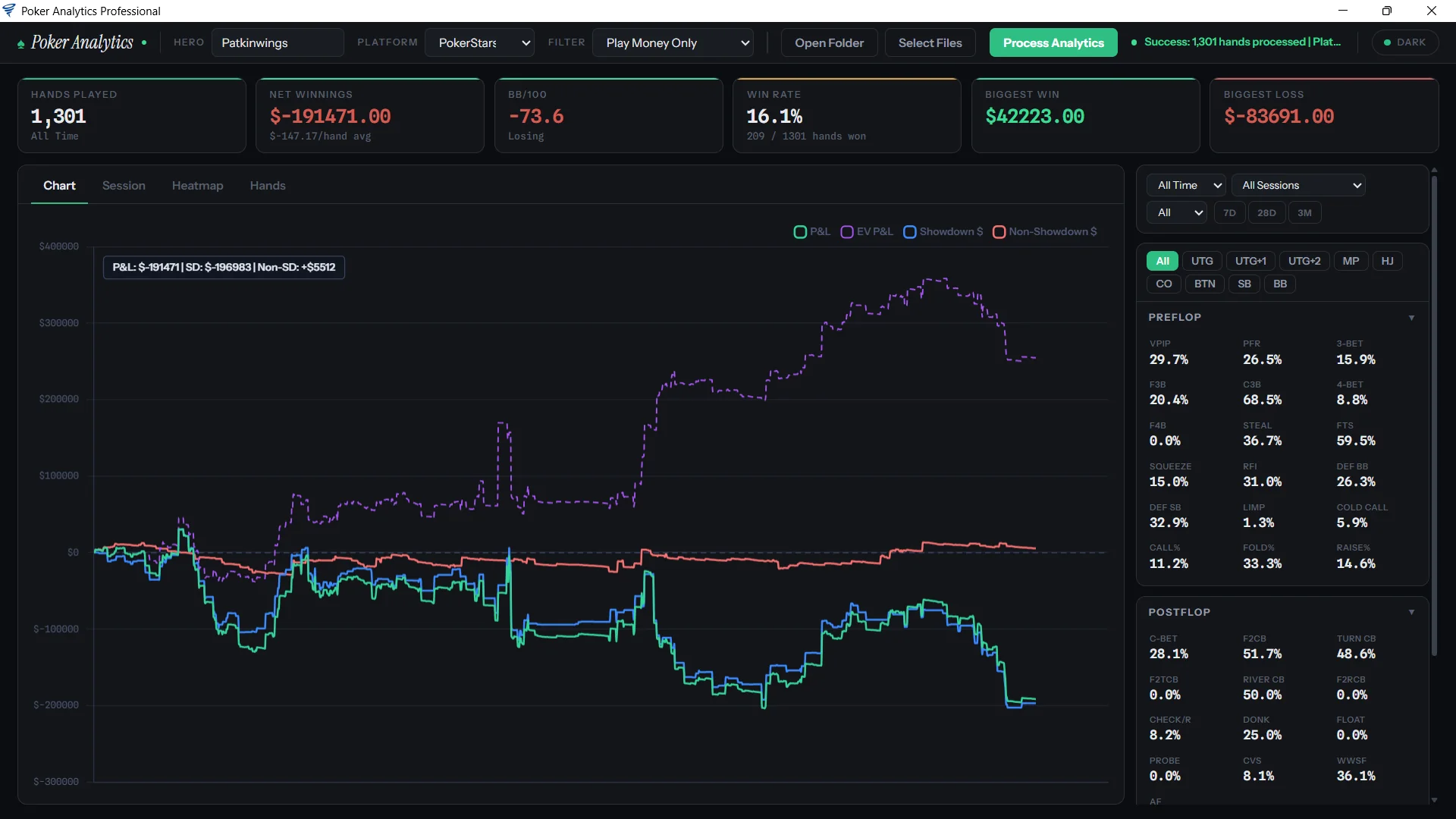
The HUD is free forever. That means all 36 stats, the full popup, the analytics on your own game and up to 4 tables at once. There's no time limit and no card needed.
After each hand, Flopnado reads the hand history file your poker site saves, and the HUD updates. It never looks at the cards on your screen and never gives advice during a hand. On a Mac it asks for Screen Recording permission the first time. That is only so it can read the poker tables' window titles and follow them. It doesn't record anything.
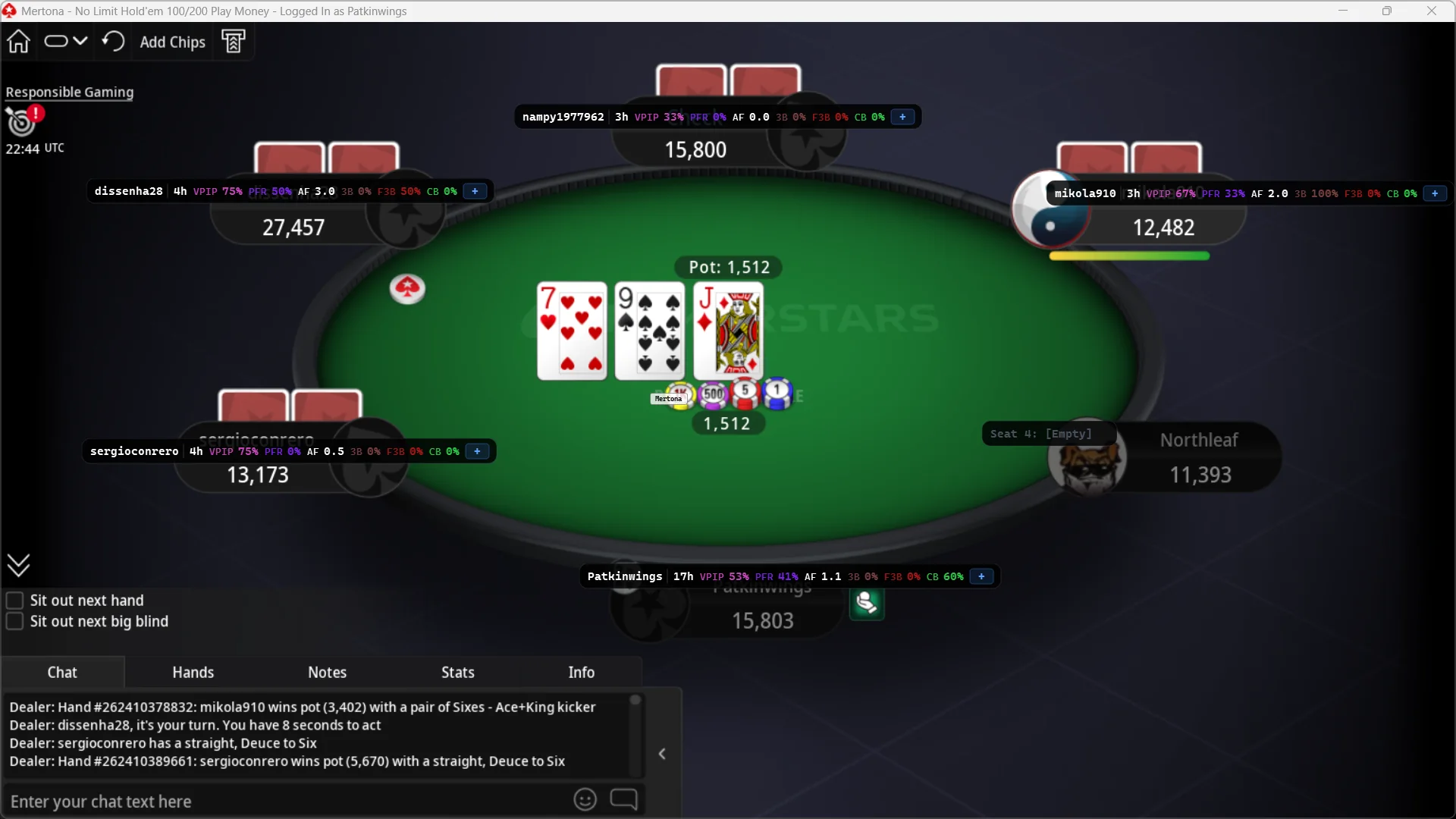
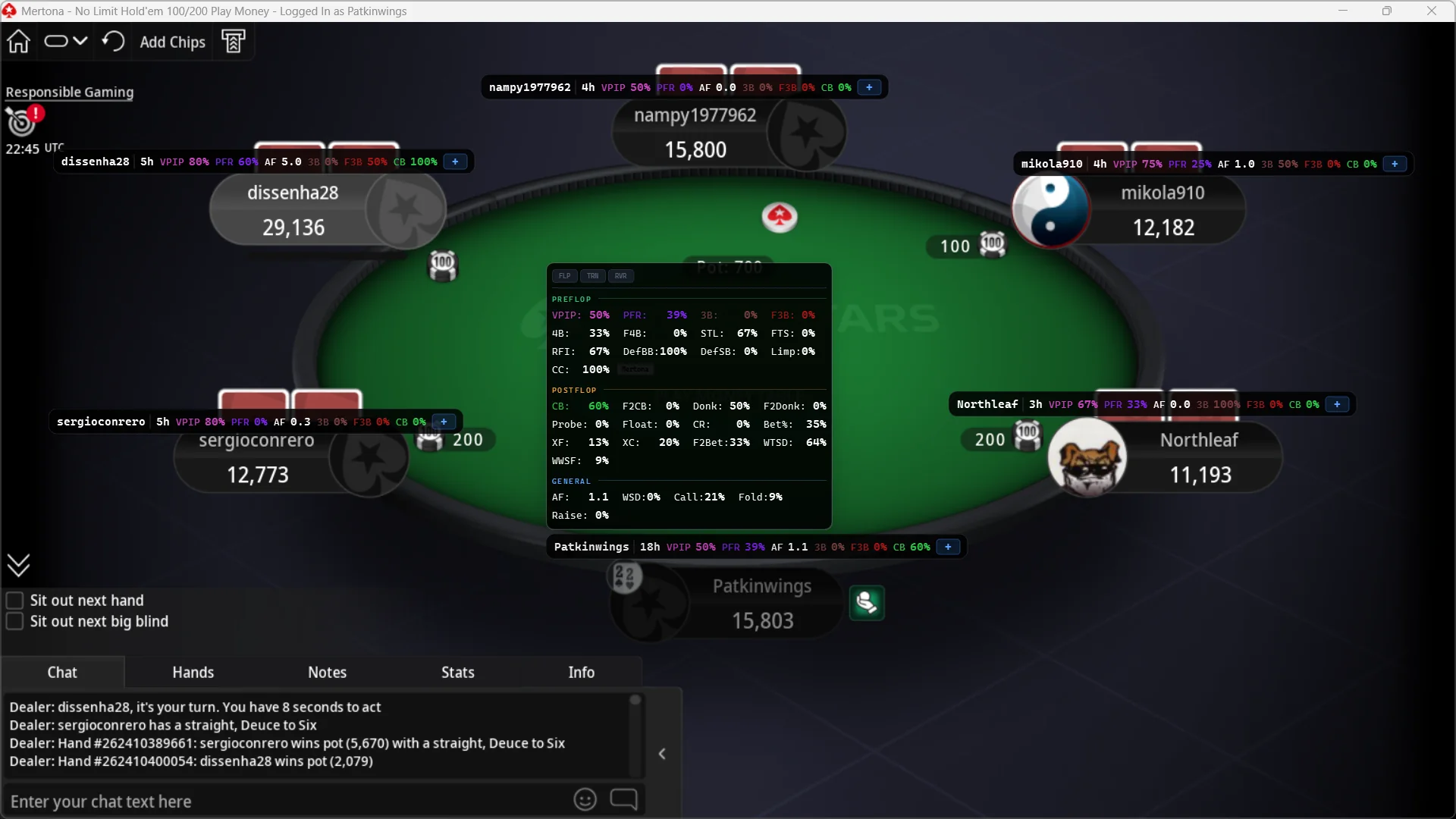
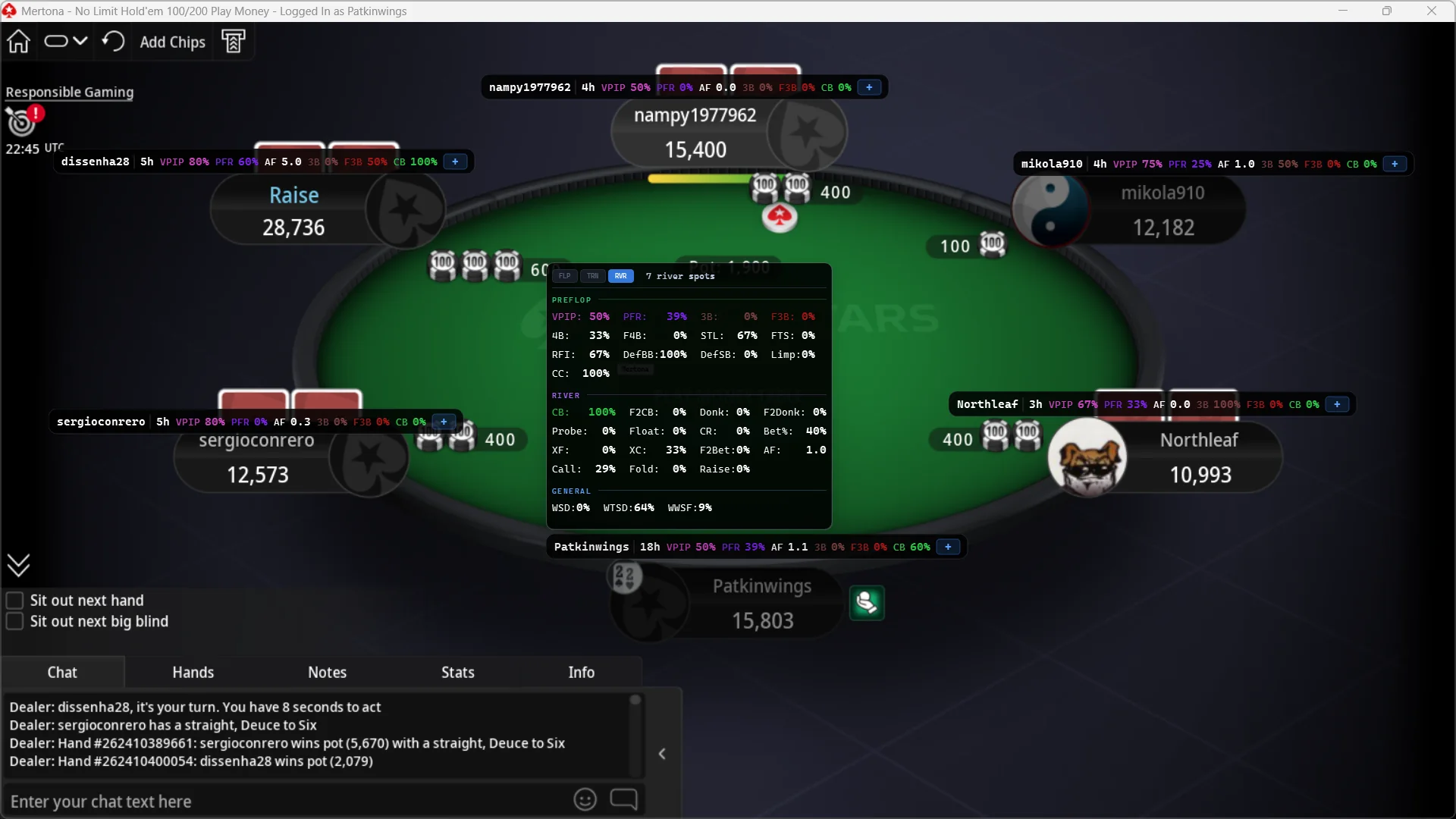
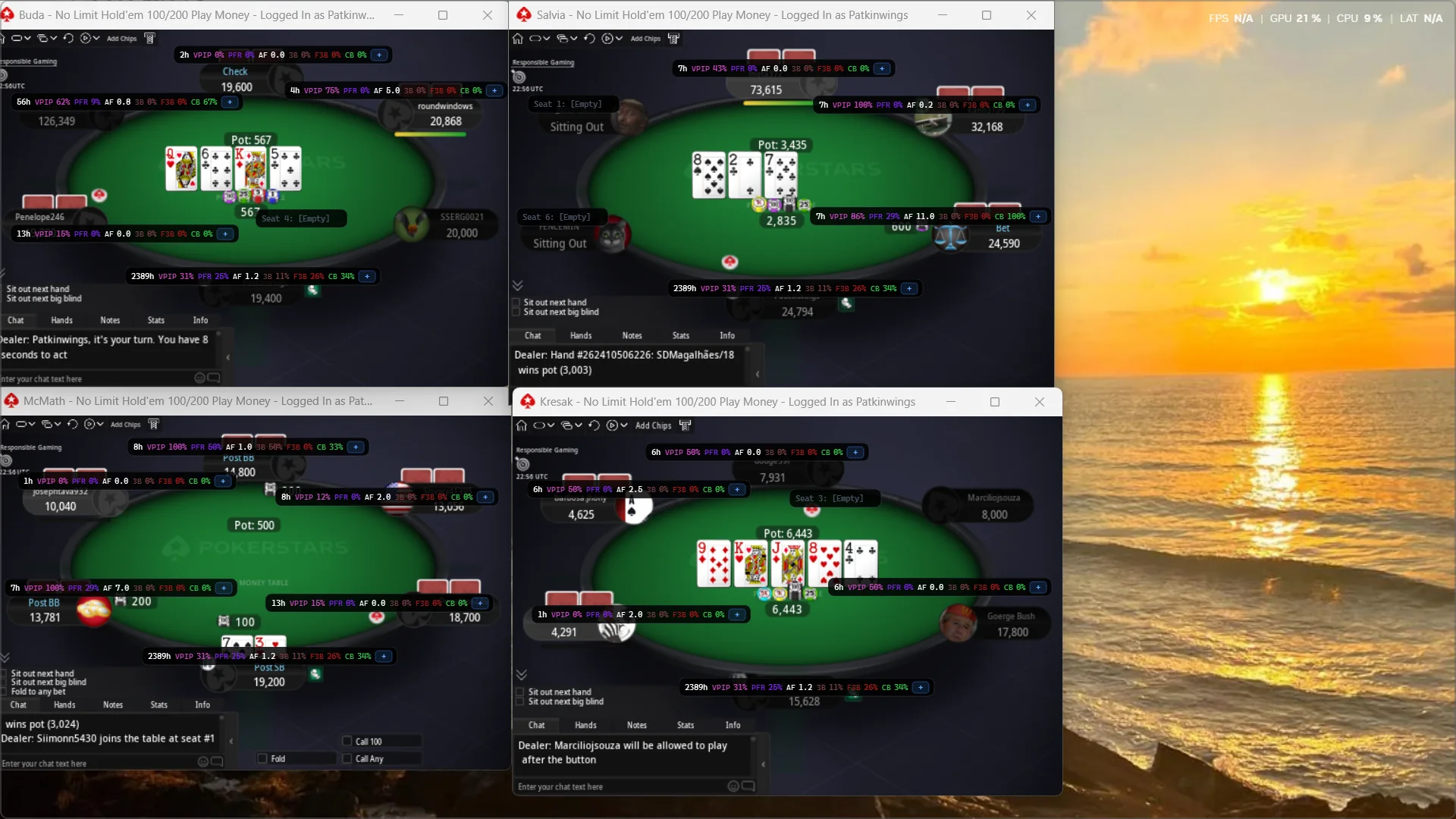
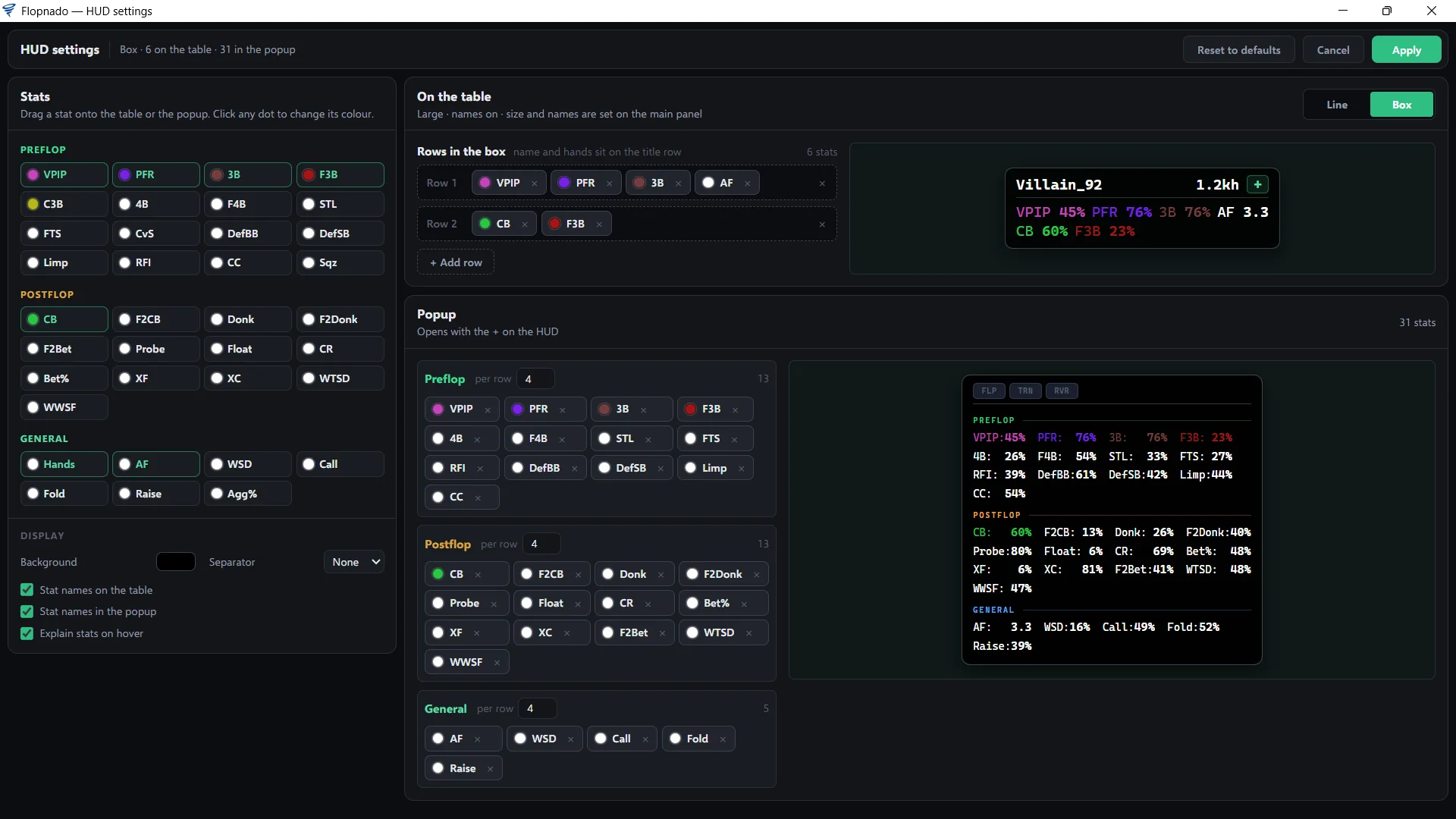
Each opponent gets a line on the table: their name, how many hands you have on them, then VPIP, PFR, aggression, 3-bet, fold to 3-bet and c-bet. You choose the stats, their order and their colours. Click a player and the popup opens with every stat on them. Every stat is explained on the stats page.
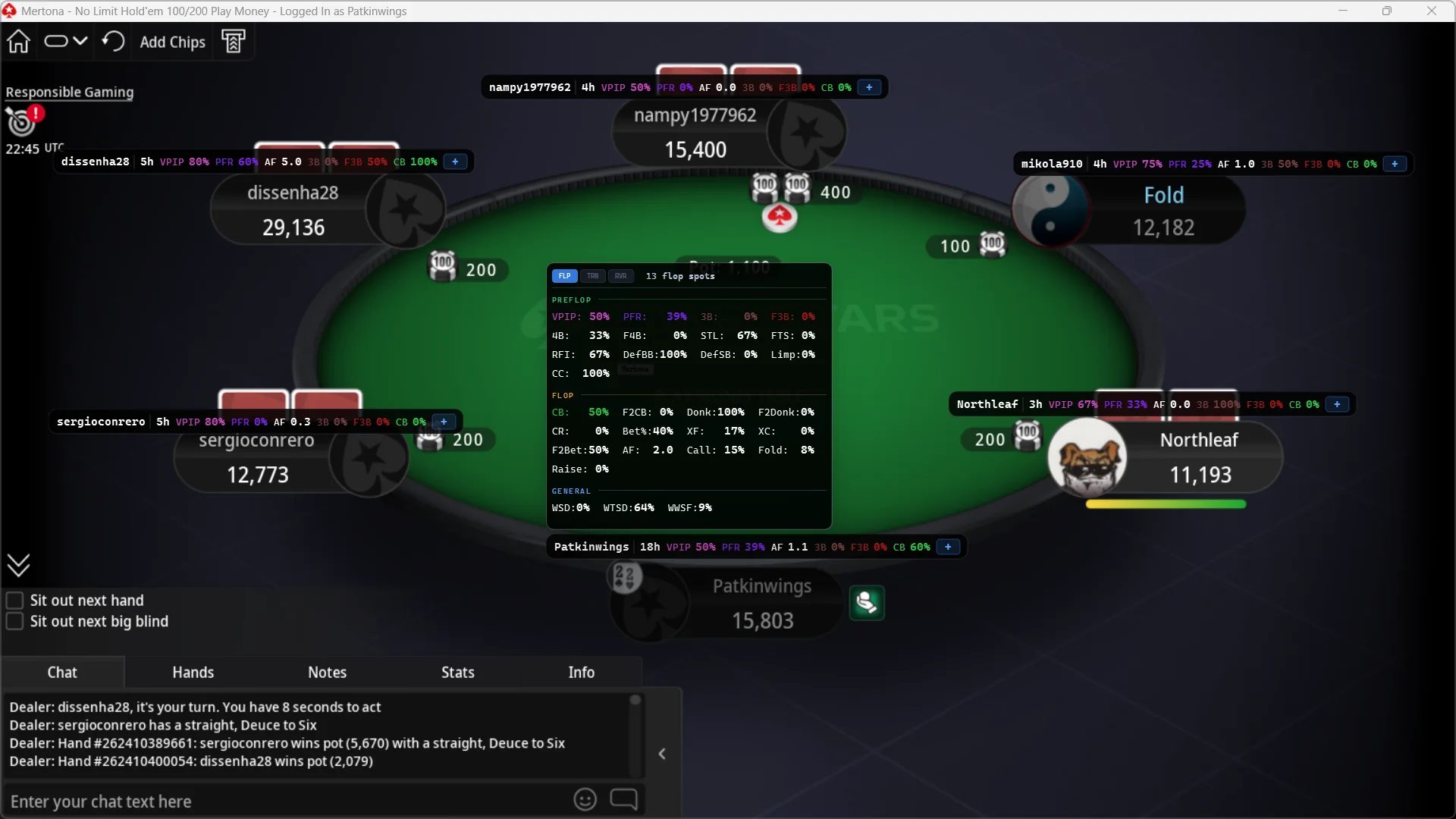
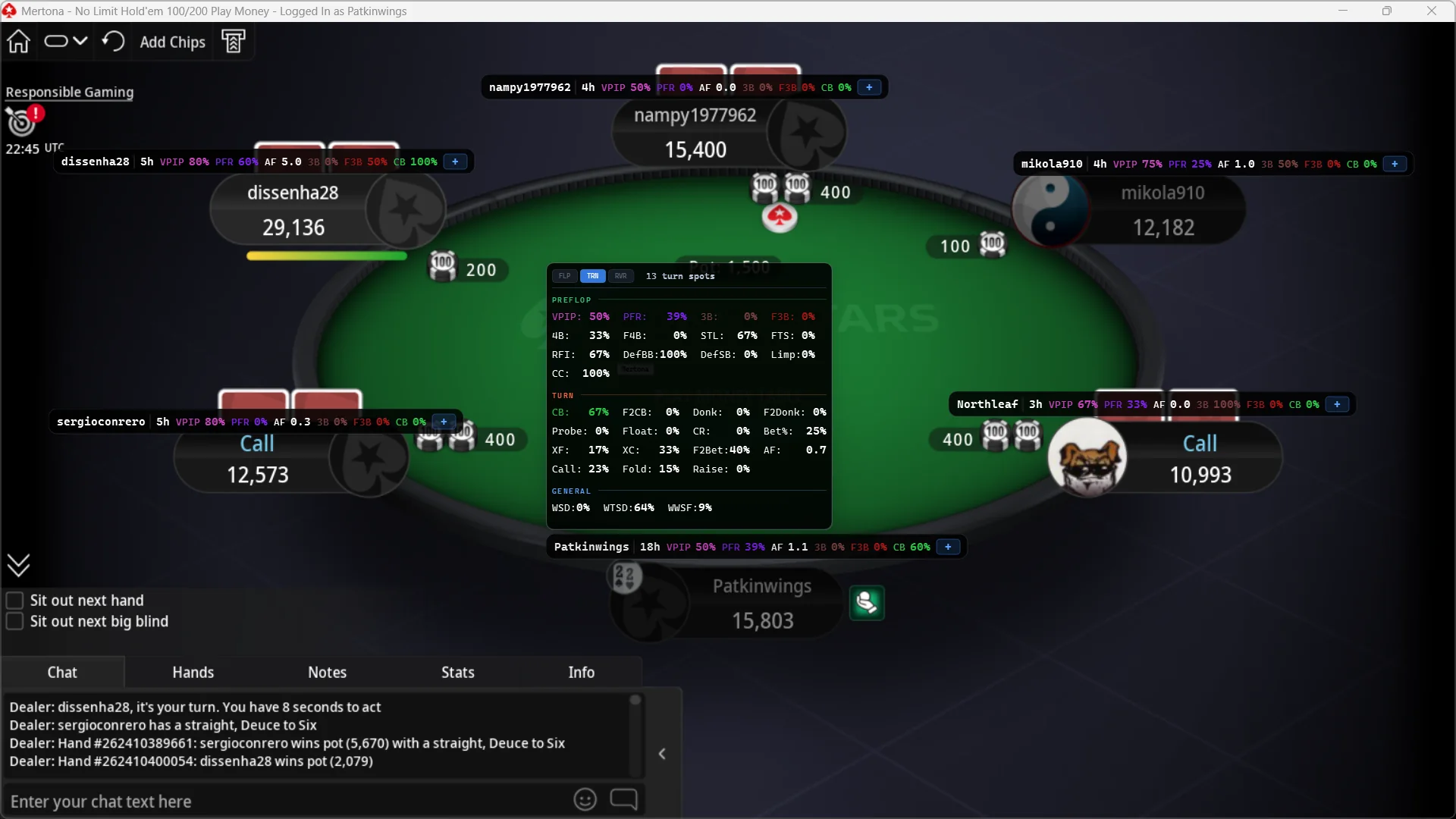
The popup has three buttons, FLP, TRN and RVR. Press one and every postflop stat is worked out again from that street only. So you can see a player c-bets the turn 67% of the time, not just "c-bets 60%" mixed across all three streets. A counter shows how many spots each number comes from, so you know how far to trust it.
There are three ways to view the HUD: Overall, By position and Vs hero. Overall is every hand you have on a player, added up. That's what every HUD shows. The other two are what make Flopnado different.
Stats by position
Most players play very differently from different seats. Overall stats mix all of that into one number, and one number can mislead you.
Say a player has 19% VPIP overall. That looks tight. But from the button, they play 45% of their hands. If you only see the 19%, you'll think their button raises are much stronger than they are.
By position fixes that. Each player's box shows their stats from the seat they're in this hand only. When the button moves, their numbers move with it. If they've never played a hand from that seat, it shows zero, not their overall number.
Vs hero, the reverse HUD
A normal HUD shows you their stats. Vs hero flips it. The box over each opponent shows your stats, as that player has seen them. Their box says "Hero" instead of their name, so you always know which view you're in.
Take Dave. Dave has sat at your table for 500 hands. The box over Dave says you raise 35% of hands. That's how loose you look to Dave. The new player beside him has only been there 10 hands. To him, you're a stranger.
It counts every hand that player was dealt into, even the ones they folded straight away. They were at the table, so they saw what you did.
You switch between the three views with one button. By position and Vs hero are in the 48-hour trial. After that they come with the €20 licence, along with the calculators and the GTO solver. Overall stays free.
See it in action
Questions people ask
Is there a free poker HUD for Mac?
Yes. Flopnado's HUD is free forever, with all 36 stats, on Apple chip and Intel Macs. There is no time limit and no card needed. The other Mac HUDs, PokerTracker 4, Poker Copilot and Hand2Note, are paid after a free trial.
Does PokerTracker 4 work on Mac?
Yes. PokerTracker 4 has a Mac version, and its support team says it works well on Apple chip Macs. It starts at $59.99, paid once, after a 14 day trial.
Does Hold'em Manager 3 work on Mac?
No. Hold'em Manager 3 is Windows only. On a Mac you need Parallels with Windows inside it. Boot Camp only works on older Intel Macs. DriveHUD 2 is Windows only too.
Does Flopnado work on M1, M2 or M3 Macs?
Yes. There are two Mac downloads, one for Apple chip Macs (M1 and later) and one for Intel Macs. It runs on the Mac itself, with no Parallels and no Windows.
Why does Flopnado ask for Screen Recording on a Mac?
The HUD finds each poker table by its window title, and macOS hides other apps' window titles unless you allow Screen Recording. Flopnado doesn't record your screen. It only reads the titles, so the HUD can follow your tables.
Will a HUD get me banned?
Flopnado's HUD only reads the hand history files your poker site saves after each hand. It gives no advice during a hand, and the calculators and solver lock while a real-money table is open. PokerStars has reviewed it. Rules are different on every site, so check your site's rules on HUDs.