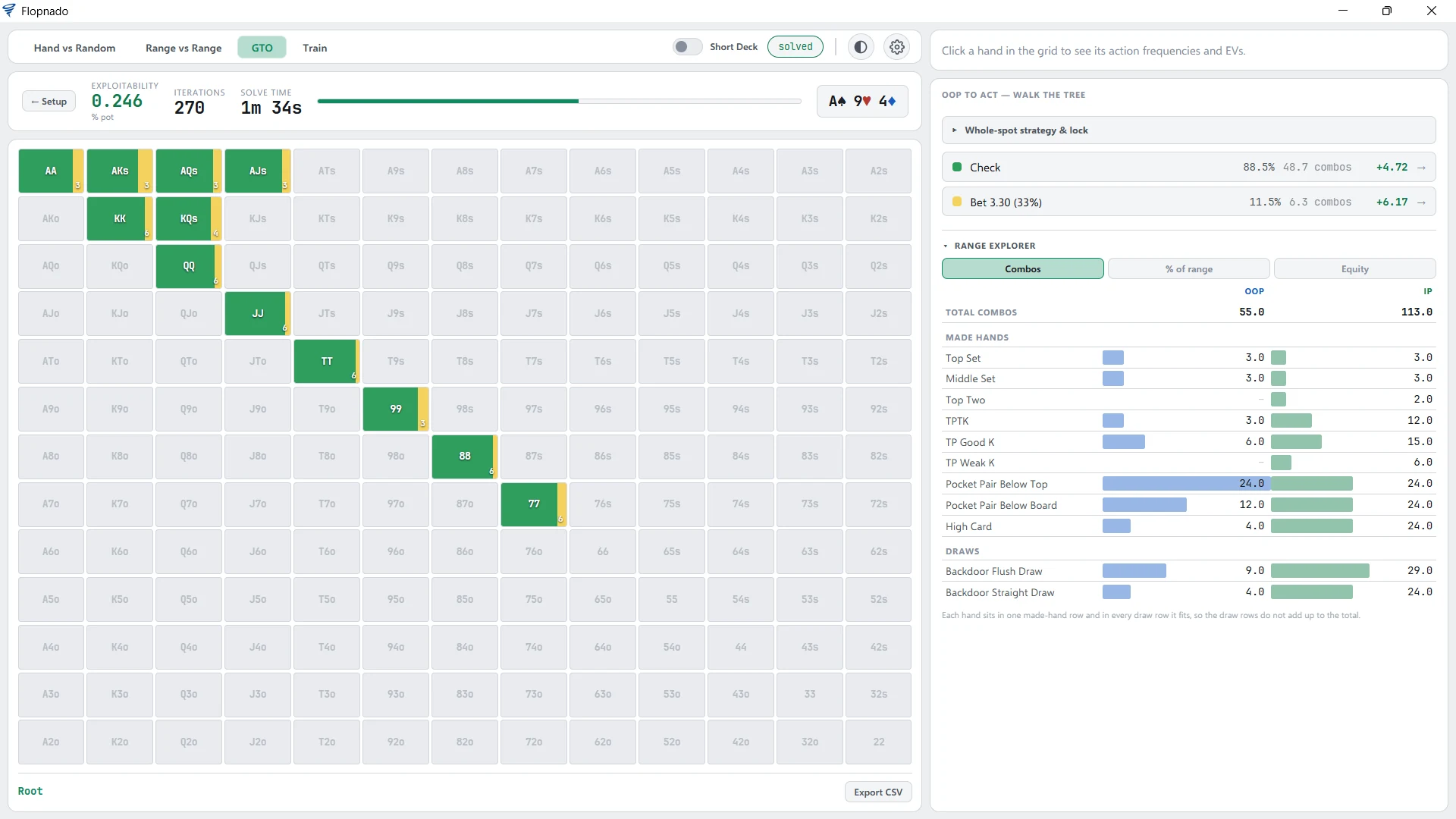
PioSolver is the best-known poker solver. So the fair test for Flopnado's solver is to put it next to Pio on the same spot. I set up one flop in both, with the same ranges, the same bet sizes and the same all-in rules, and solved it. Here is what came out.
| Same spot, A♠9♥4♦ | PioSolver | Flopnado |
|---|---|---|
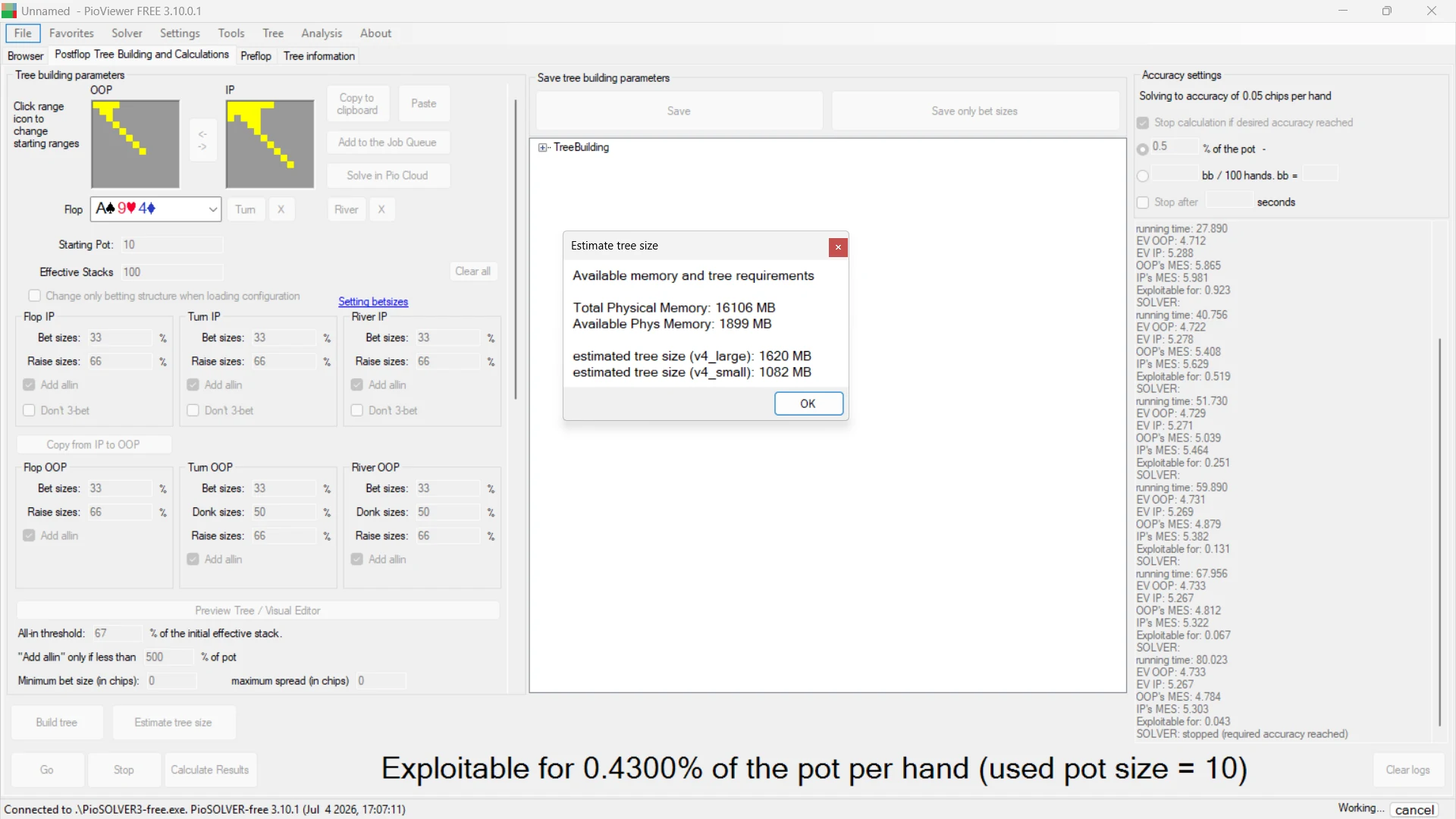
| Memory needed | 1,082 MB (1,620 MB in its larger mode) | 536 MB |
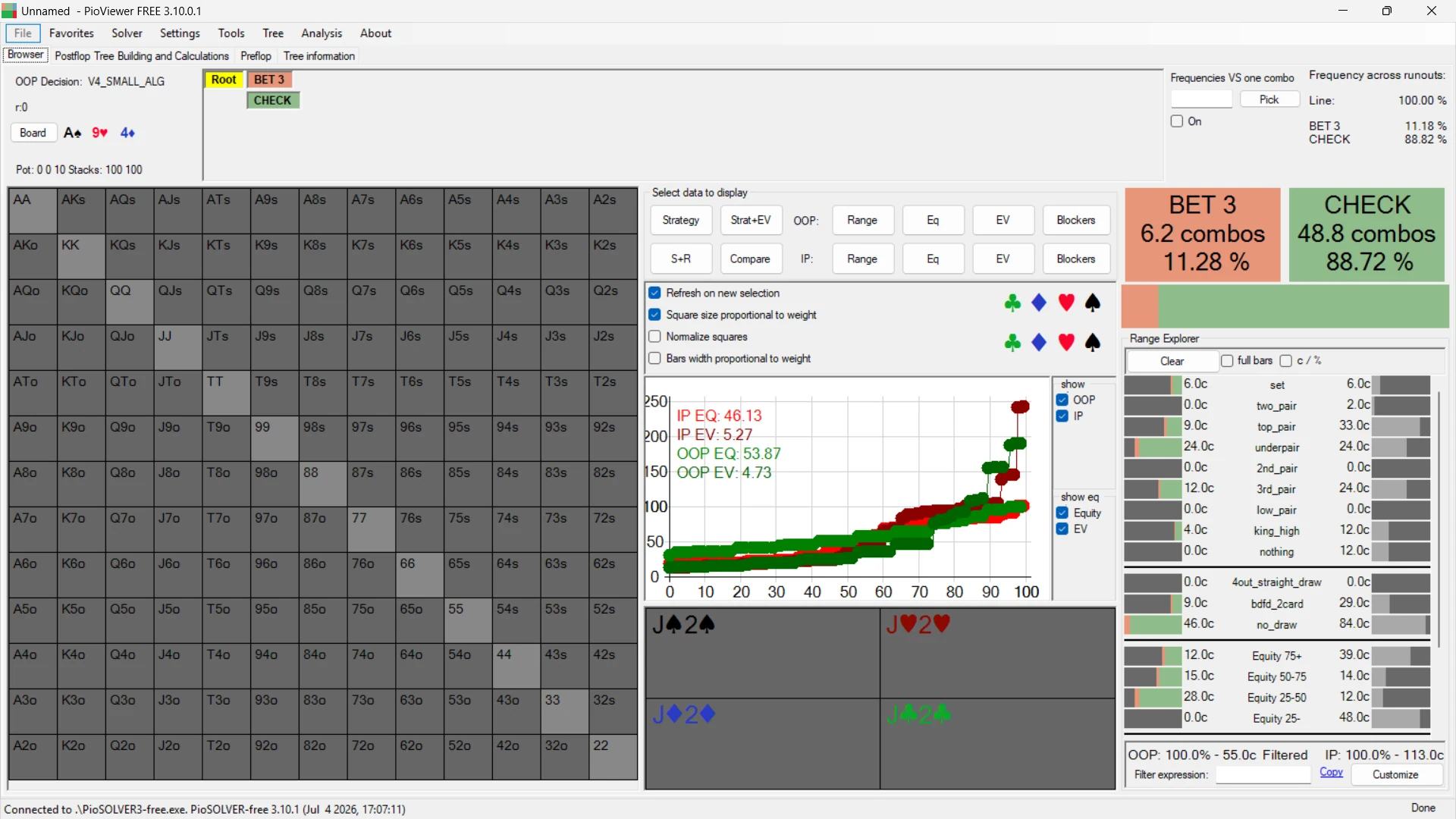
| First player checks | 88.7% (48.8 combos) | 88.5% (48.7 combos) |
| First player bets a third of the pot | 11.3% (6.2 combos) | 11.5% (6.3 combos) |
| Accuracy reached | 0.43% of the pot | 0.246% of the pot |
| Solve time | 80 seconds (target 0.5%) | 1 minute 34 seconds (target 0.25%) |
| Runs on a Mac | Only through Parallels and Windows | Yes, natively, Apple chip and Intel |
| Price | €450 (Pro) | €20, paid once |
The short version: the same strategy, for half the memory. The rest of this page goes through each number, and the screenshots of both programs are at the end.
The spot
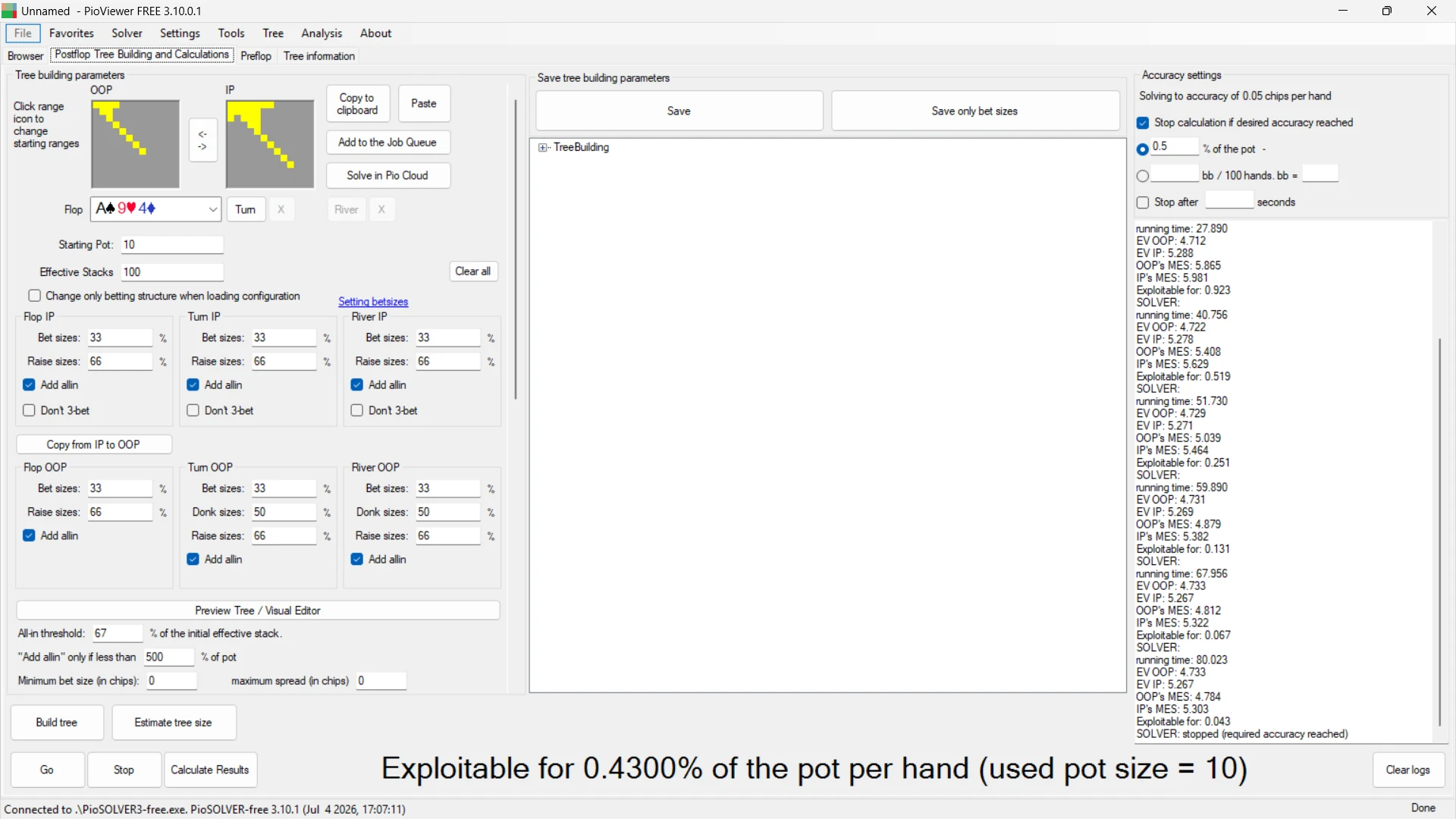
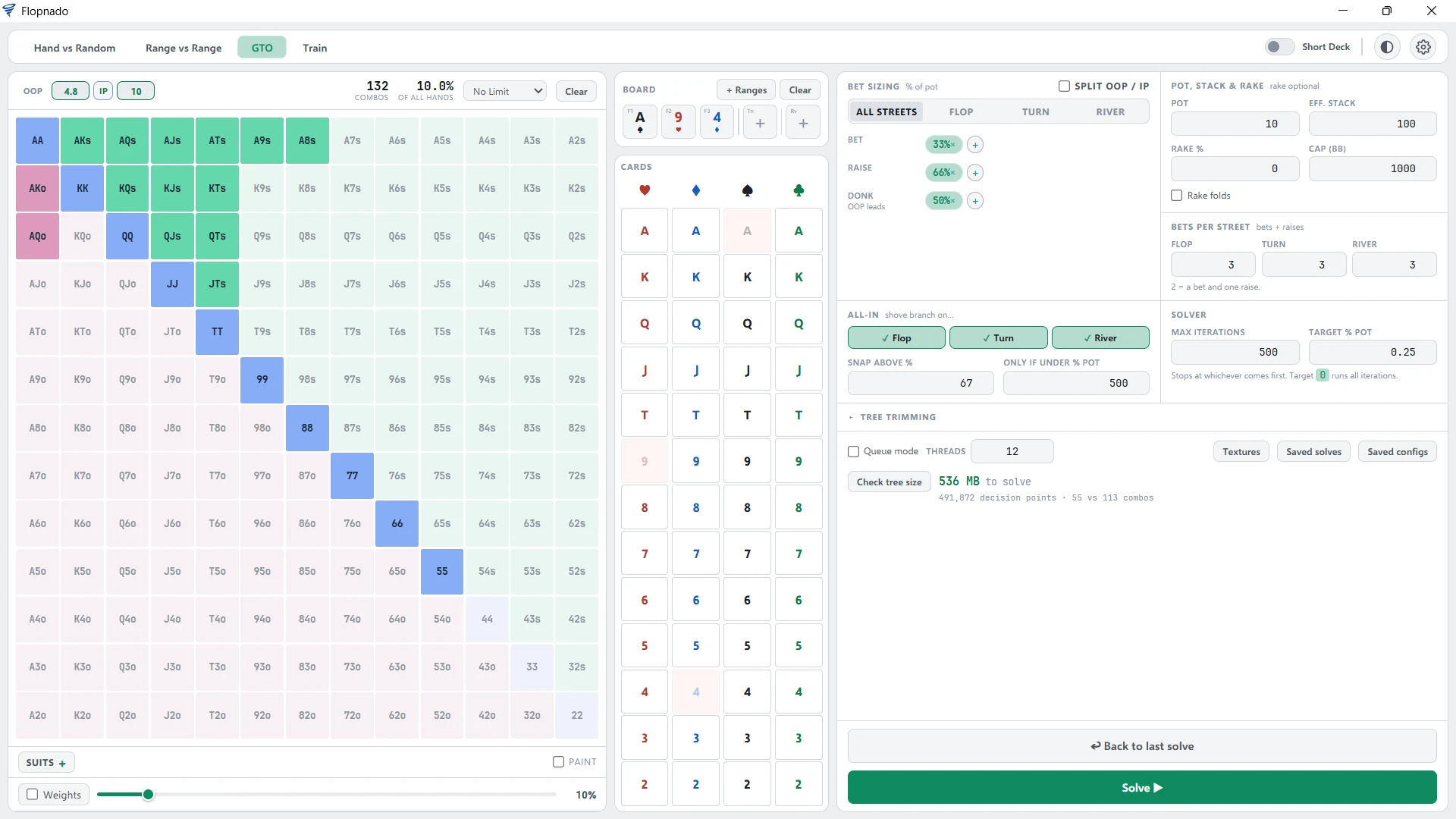
The board is A♠9♥4♦. The pot is 10 and both players have 100 behind, with no rake. The first player has a 55 combo range and the second player has 113 combos. Both programs show exactly those totals.
The bet sizes are the same on every street. Bets are a third of the pot and raises are 66% of the pot. On the turn and river, the first player can also lead out for half the pot.
All-ins work the same way in both. A bet that would put in more than 67% of the stack becomes an all-in. And an all-in is only added when the stack is less than five times the pot. These are the settings Pio calls "All-in threshold" and "Add allin only if less than 500% of pot". In Flopnado they are "Snap above %" and "Only if under % pot".
The PioSolver used is PioSOLVER 3.10.1.
Memory: half of what PioSolver needs
Before you solve, both programs tell you how much memory the tree will need. PioSolver's estimate is 1,082 MB in its smaller mode, and 1,620 MB in its larger mode. Flopnado's Check tree size says 536 MB, for 491,872 decision points. That is about half of PioSolver's smallest figure, for the same tree.
Memory decides how big a spot you can solve. Add more bet sizes and the tree grows fast, and so does the memory it needs. Needing half as much means bigger trees fit on the same computer. Flopnado uses less memory than other solvers, and this spot shows by how much against PioSolver.
On a Mac the gap matters even more. PioSolver only runs there through Parallels, and Windows takes its own share of the memory before Pio gets any. Flopnado runs on the Mac itself, so all of it is there for the solve. There is more on that in the guide to GTO solvers for Mac.
Accuracy and solve time
Both programs report accuracy as a percentage of the pot. It is how far the strategy is from perfect, so lower is better.
PioSolver was set to stop at 0.5% of the pot. It got there after 80 seconds, and finished at 0.43%. Flopnado was given a stricter target of 0.25%. It reached 0.246% after 270 iterations, in 1 minute 34 seconds. So Flopnado ran a little longer, and finished with a more accurate answer.
The strategy: the same answer
This is the part that matters most. Using less memory is no good if the answer comes out different. It doesn't.
On this flop, PioSolver has the first player check 88.7% of the time and bet a third of the pot 11.3%. Flopnado has check 88.5% and bet 11.5%. In combos, that is 48.8 checks in PioSolver and 48.7 in Flopnado, out of 55. The difference is a tenth of one combo.
Both programs also split the two ranges by hand type, and the counts match combo for combo. The first player has 6 sets and 9 top pairs in both. The second player has 6 sets, 2 two pairs and 33 top pairs in both. The pocket pairs and the high-card hands line up the same way. So both were solving exactly the same ranges, and they came to the same strategy.
What it costs, and where it runs
PioSolver Pro is €450, and it runs on Windows. On a Mac you also need Parallels and a Windows licence.
Flopnado is €20, paid once, for the whole app. It runs natively on Windows and on Mac, with Apple chip or Intel. The same app has the solver, the trainer, every equity calculator and a HUD that is free forever.
Every download starts with a 48-hour trial of everything. So you can set up this same spot, solve it, and check the numbers for yourself.
See it in action
Both programs on the same spot, one screen at a time. Click any screen to see it full size.